Software Development Pretoria is Exceed IT’s service for businesses that need their website, mobile app, desktop tools and dashboards to work together. Our Pretoria-based team can build one workflow, connect the software you already use or help you replace a licensed system.
A custom system gives customers, staff and managers the right tools for each part of the same process. Each team works with the records and actions it needs. For example, here’s how a field-service business could run a job from enquiry to invoice.
Take an enquiry
The customer requests a quote on your website. The system creates a job record with their contact details and requirements.
Plan and assign the job
Your office team reviews the request in a dashboard, prepares the quote and assigns the approved job to a technician.
Complete the work on mobile
The technician opens the job card, captures photos or a signature and records what was done. The office can see when the job is ready for review.
Approve, invoice and report
A manager checks the completed job. The system sends approved details to compatible invoicing software and updates the report on outstanding work.
Give customers an app to book services or track orders, or give staff a way to open job cards, scan stock and record work away from a desk. See mobile app examples for more ways to use an app.
Hybrid apps for iOS and Android
A hybrid app packages a web interface inside an installed app. Other cross-platform approaches can share application code while using device-specific features. We scope camera access, push notifications and offline syncing up front, then test each release on supported iOS and Android devices.
An offline-first app can let staff finish a job without signal. If customers also need live delivery updates, plan what the app can show while it’s disconnected. In the mobile interface, make it clear which updates are still waiting to sync.
A business website can take bookings, enquiries and orders. A self-service portal gives customers a place to sign in, upload files, view quotes or track progress while your team acts on the same records.
For online sales, connect checkout, stock and fulfilment. A B2B ordering portal can support trade accounts and repeat orders. See our e-commerce examples for other ways to handle orders and inventory.
A desktop app can suit a dispatch desk, reception counter or warehouse workstation that depends on local files or connected equipment. It could collect readings from a device, print labels or keep a queue of work ready to sync when connectivity returns.
We plan the operating systems, installation and update process, and check how the app should share records with your web dashboard or mobile app.
A dashboard can give dispatchers a list of jobs to assign, managers a queue of approvals and finance a view of completed work waiting to be invoiced. Each role sees the records and actions it needs.
Tailor reports to the measures your team actually uses. Track overdue jobs by branch, compare turnaround by job type, or export an approved month-end report. We agree how each measure is calculated, who can see it and how often the data updates.
You can replace licensed software with a custom solution when recurring workarounds, seat fees or missing capabilities make a replacement worthwhile. A service company could replace a generic job scheduler with a system that handles its own quoting rules, dispatch and reporting, while keeping the accounting package it already trusts.
Check what must work before you switch
Try a sample export. Check whether your current supplier lets you retrieve the records, attachments and histories you need.
Test and reconcile. Import a sample, compare record counts and totals, and let one team check the new workflow with realistic exceptions.
Agree the cutover. Set the final import date, decide how to handle work entered during the switch and agree when to restore the previous workflow if testing fails.
Compare your current licence fees with the build, migration, hosting and maintenance costs over the same period.
Automate daily tasks and reduce admin
Capture an enquiry once and reuse it for a quote, a job card and the invoice. Send reminders when bookings are due, assign new requests to the right team and flag records that need attention. This can cut retyping and waiting between teams so work moves faster.
Start by measuring one repetitive task, such as time spent entering supplier invoices. Define what can run automatically and where a person should review an exception, then compare the time and error rate after rollout.
Custom systems Exceed IT has built
For Answers at Apaiva, Exceed IT built the mobile app, website and management dashboard. A visual editor lets the team update resources for parents and teens, while the platform supports subscriptions and payments.
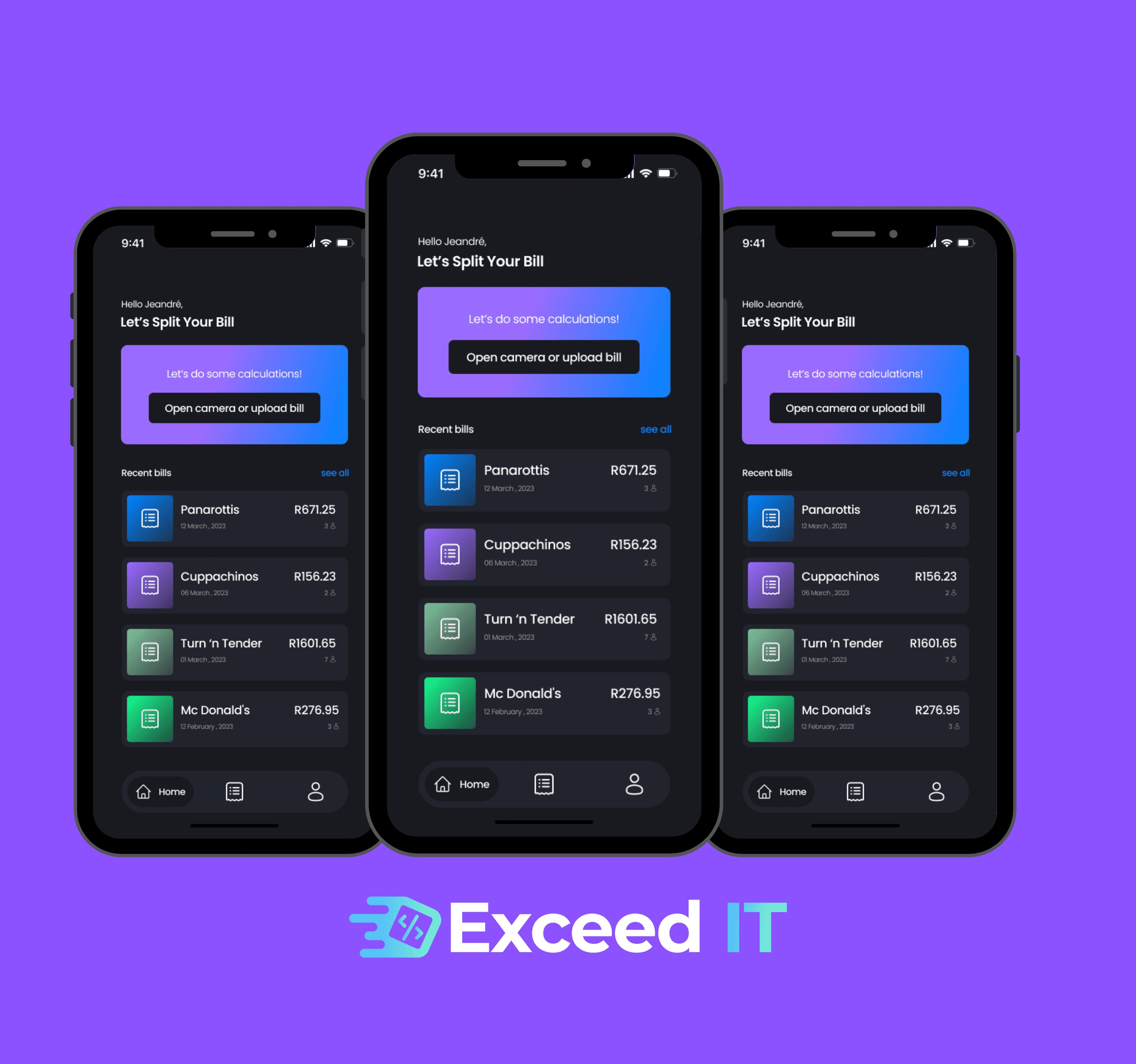
The screens show Fair Share Bill Splitter. Diners scan a receipt, assign items and share their portions. Exceed IT also built the software and admin dashboard behind that app.
Eyam shows how a public listings and campaigns platform can connect to a management dashboard, subscriptions and verification. EquipLoop shows how staff can scan a QR code, record an issue or return and keep an item’s condition separate from its availability.
Bring one anonymised example of the work, such as a job card, spreadsheet or customer request. Tell our Pretoria team who approves it, what happens when something goes wrong and which existing tools hold the records.
Define the scope. Agree the first workflow, user roles, data and supported devices. Your proposal can then set out included work, exclusions and milestones.
Review a working build. Let the people doing the work try it with sample records. Test details such as a duplicate request, a declined approval or a failed sync before expanding the rollout.
Plan who runs it. Agree access to the source code, hosting and app store accounts where applicable. Confirm what documentation, training and support are included in the handover.
Custom software development FAQs
How much does IT cost to develop custom software?
Use around R60 000 as an initial budget for a small, focused build. Your quote depends on what users need to do, which devices you support and whether existing data or software must come across. Compare the one-off build with recurring hosting, licence and support costs, and check whether the quote includes VAT.
Can I develop my own software?
Yes. You can develop it in-house or commission a custom system. It’s worth considering when off-the-shelf software leaves your team doing important work in spreadsheets or repeating steps across different tools. Every business has its own workflows and exceptions. At Exceed IT, we start with how your team works and build around the part you need to improve.
How long does it take to develop custom software?
Allow roughly 2 to 12 months depending on what you need. Around 3 to 6 months is a useful planning range for a typical custom project. A focused release may take around two months, while a wider rollout with several user roles, integrations and a data migration can take closer to a year. We confirm milestones after scoping the work.
How much does custom software development cost in 2027?What is the average cost of custom software development?
Exceed IT’s 2027 planning estimate for a small custom software project is around R60 000 for about two months of development. Use it to discuss a focused first release, such as one staff approval workflow. Multiple apps, historical data and integrations can increase the scope. A project-specific quote sets out the included work and costs.
Discuss your workflow with our Pretoria team
Tell us where work gets stuck, which tools you use today and what you’d like your team to do faster. Exceed IT is based in Pretoria and can help you scope a first release.